
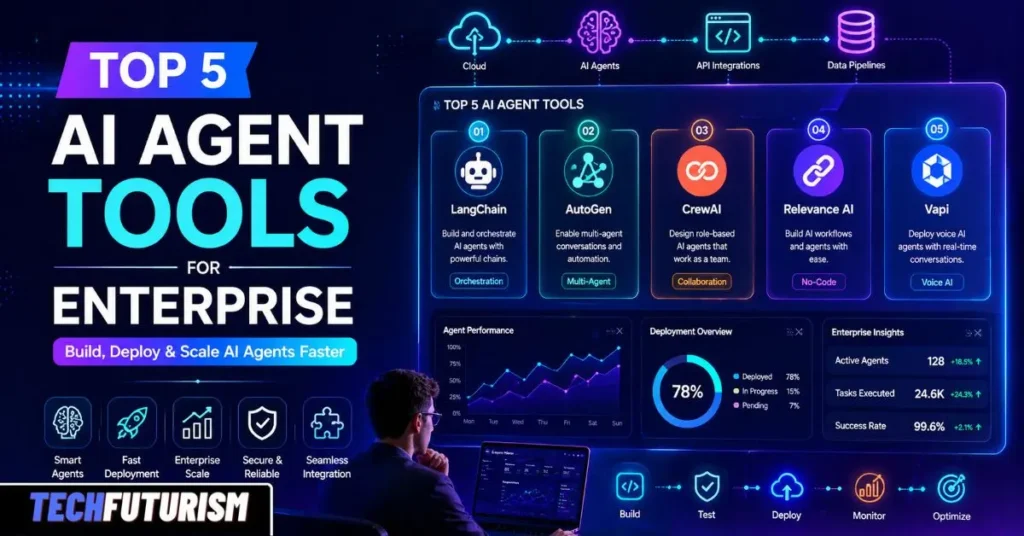
Covering the best platform for building AI agents, the best no-code AI agent builder, Make.com AI agents, Workato Enterprise MCP, free options, and the top 10 agentic AI tools — for enterprise, small business, and personal use
Published April 27, 2026 · 20 min read · AI agent automation tools, agentic AI, enterprise automation
$47.8B
Enterprise AI agent market by 2030
171%
Average ROI for early adopters
33%
Enterprise software with agentic AI by 2028 (Gartner)
160K+
Organizations using Microsoft Copilot Studio
- Why Enterprise AI Agents Matter Right Now
- Make.com AI Agents Review: Best No-Code AI Agent Builder for Automation at Every Scale
- Workato Delivers Industry's First Enterprise MCP Platform for AI Agents
- Top 5 Tools for Building AI Agents for Enterprise — Free Options
- Best AI Agents for Personal Use and Best AI Agents for Small Business
- Best Platform for Building AI Agents: How to Choose the Right One
- Top 10 Agentic AI Tools: The Extended View
- Final Thoughts: The Best AI Agent for Business Is the One You Actually Ship
- FAQ:
Why Enterprise AI Agents Matter Right Now
A few years ago, “AI in the enterprise” mostly meant a chatbot that answered FAQs or a model that flagged spam emails. Today, things look completely different. AI agents — software systems that can plan, make decisions, and take real actions across tools and databases — are reshaping how work gets done at scale. They don’t just answer questions. They do things: they pull data, write code, send emails, coordinate with other agents, and loop back when something goes wrong.
The numbers are decisive. The enterprise agentic AI market is on track to grow from $4.35 billion in 2025 to a projected $47.8 billion by 2030 — a 61.5% compound annual growth rate. Early adopters report an average ROI of 171%, with North American firms hitting nearly 192%. Gartner predicts that 33% of enterprise software will include agentic AI by 2028. The question isn’t whether to act. It’s which AI agent automation tools to use — and how fast to move.
Real-world proof: Klarna integrated LangGraph-based AI agents into customer support and cut resolution time by 80%. Coinbase used the OpenAI Agents SDK to deploy AgentKit — a full AI agent toolkit for crypto wallets — in just a few hours. Box built enterprise document search agents combining internal and public web data with zero custom glue code. These aren’t experiments. They’re production systems running at scale today.
This guide covers the top 5 tools for Building AI agents for enterprise, plus bonus deep dives on Make.com AI agents, Workato Enterprise MCP, free options, personal and small business use, and a broader look at the top 10 agentic AI tools landscape. Whether your team writes Python daily or has never opened a terminal, there’s a tool here for you.
1
LangChain / LangGraph
Best for custom production-grade enterprise workflows
Best for engineering teams building complex, stateful, auditable agentic workflows. Pricing: Open source (MIT) — free. LangSmith: $0 individuals, $500/month teams. Language Python (primary), JavaScript/TypeScript (secondary)GitHub stars97,000+ (LangChain), 14,000+ (LangGraph)Integrations600+ vector DBs, APIs, memory providers, LLMs
LangChain began as a simple framework for chaining LLM calls. It has since grown into a full agent engineering platform with over 97,000 GitHub stars, 50,000+ production apps, and a rich ecosystem including LangSmith (observability and debugging) and LangGraph (stateful multi-agent workflows). The ecosystem supports 600+ integrations with vector databases, APIs, tools, and memory providers, and works with every major LLM: OpenAI, Anthropic, Gemini, and more.
LangGraph is the real star for enterprise deployments. It models agentic workflows as directed graphs — nodes represent agent steps, edges represent decisions. This gives developers fine-grained control over agent state, branching logic, and long-running processes. LangGraph hit version 1.0 GA in late 2024, scores 87% on task success benchmarks, and integrates natively with LangSmith for full auditability — a non-negotiable requirement in enterprise environments where every action must be traceable.
Why this matters at scale: Klarna integrated LangGraph agents into its customer support pipeline and reduced resolution time by 80%. For complex, multi-step workflows — supply chain exception handling, financial reconciliation, multi-system data sync — LangGraph’s explicit state management and error recovery make it the most reliable option in production today.
How to get started with LangChain / LangGraph
- Install via pip:pip install langchain langgraph langchain-openai
- Define your agent’s tools (APIs, databases, search engines) using LangChain’stool interface
- Build your reasoning loop using LangGraph’sstate graph— specify nodes (steps) and edges (transitions)
- Add persistent memory using a vector store likePineconeorWeaviate
- ConnectLangSmithfor real-time tracing, debugging, and evaluation in production
- Deploy via LangGraph Cloud or containerize with Docker and push to AWS, GCP, or Azure
Best for: engineering teams with dedicated Python developers who need full control over every step of the reasoning process. The steepest learning curve on this list — but the most powerful outcome.
LangChain is not beginner-friendly. Its API surface is broad, changes frequently, and the onboarding investment is real. But for enterprise teams with technical resources, LangChain and LangGraph remain the gold standard for custom AI agent development. If your team doesn’t write Python daily, keep reading — the tools below have significantly lower barriers.
2
CrewAI
Best for role-based multi-agent collaboration
Best forMarketing, research, content pipelines — any “team of specialists” workflowPricingCompletely open source — free. Enterprise hosting available on request.LanguagePythonGitHub stars45,900+ — fastest-growing agent framework in 2025–2026Downloads900,000+ by mid-2025
CrewAI takes a completely different approach from LangChain. Instead of graphs or chains, it models multi-agent AI systems as a team of specialists — a Researcher, a Writer, a Reviewer — each with a defined role, goal, backstory, and set of tools. You describe the crew in plain English, assign tasks, and the framework handles orchestration. The result is code that reads like a job description and onboards new developers in an afternoon, not a week.
CrewAI is the fastest-growing agent framework in 2025–2026 with over 45,900 GitHub stars and 900,000 downloads by mid-2025. It supports three process types: sequential (agents run in order), hierarchical (a manager delegates to workers), and consensual (agents vote on decisions). It’s also model-agnostic — works with OpenAI, Anthropic, and open-source models via Ollama — and integrates natively with LangChain tools, giving you the best of both ecosystems.
A real-world scenario: A product manager at a 500-person SaaS company needs competitive intelligence reports every Monday morning. She sets up a CrewAI “crew”: a Researcher agent searches the web, a Writer agent drafts the report, and an Editor agent checks it for accuracy. By Sunday night, the crew runs automatically and the report lands in her inbox — with zero developer involvement after the initial setup.
How to get started with CrewAI
- Install:pip install crewai crewai-tools
- Define agents — give each one arole,goal, andbackstoryin plain English
- Assign tasks to each agent and specify the expected output format
- Choose your process type: sequential for simple pipelines, hierarchical for complex orchestration
- Connect tools from CrewAI’s library or import LangChain tools directly
- Run locally first, then deploy viaCrewAI Enterpriseor your own infrastructure
Best for: marketing teams, research departments, content pipelines, and any workflow that maps naturally to a “team of specialists” model. Fastest path to a working multi-agent system on this list.
One honest caveat: CrewAI prioritizes simplicity over granular control. Teams that start with it for prototyping often migrate critical workflows to LangGraph when they need production-grade state management and conditional routing. Think of CrewAI as the fastest path to a working multi-agent AI system — and LangGraph as the path to hardening it for production at scale.
3
Microsoft AutoGen
Best for conversational multi-agent systems
Best forCode generation, debugging workflows, Azure enterprises, consensus-driven agentsPricingOpen source — free. Azure hosting and LLM usage costs are separate.LanguagePythonGitHub stars50,400+BackingMicrosoft — strong Azure and Azure OpenAI integration
Microsoft AutoGen models multi-agent collaboration as a dynamic conversation rather than a rigid pipeline. Agents exchange messages, delegate tasks, and reach consensus through structured dialogue — more like a real team discussion than a pre-planned workflow. With 50,400+ GitHub stars and Microsoft backing, it is one of the most production-tested frameworks available.
Its major rewrite — now called AG2 — introduced an event-driven core with async-first execution. Its GroupChat feature lets multiple agents join a shared conversation, with a manager determining who acts next. This makes AutoGen particularly strong for code generation, debugging pipelines, and scenarios where agents need to debate options before deciding. Since AutoGen is backed by Microsoft, it integrates naturally with Azure OpenAI Service, supports 100+ LLMs, and pairs well with LangChain tools for retrieval and tool calling.
How to get started with Microsoft AutoGen
- Install:pip install pyautogen
- Define agents — each gets a name, system message, and LLM configuration
- Set up aGroupChatwith a manager agent routing messages between participants
- Give agents tools — functions they can call to interact with APIs, run code, or search
- Integrate withAzure OpenAI Servicefor enterprise-grade security and compliance
- UseAutoGen Studio(visual interface) to prototype workflows before committing to code
Best for: enterprises on Azure that need code-generation or debugging workflows, and any scenario where agents benefit from debating options before acting.
4
Microsoft Copilot Studio
Best no-code AI agent builder for Microsoft 365 enterprises
Best forNon-technical teams in Microsoft 365 organizationsPricingIncluded in many M365 plans; standalone licensing availableInterfaceVisual no-code workflow builder — zero coding requiredScale160,000+ organizations; 400,000+ agents builtComplianceSOC 2, HIPAA, GDPR — within the Microsoft compliance boundary
Not every organization has a Python team. Microsoft Copilot Studio is the most practical entry point into enterprise AI automation for non-technical teams. It has been deployed across more than 160,000 organizations with over 400,000 agents built — numbers that make it the most widely adopted enterprise AI agent platform by volume in the world today.
No code, real results: A head of HR at a 3,000-person company needs an agent that answers policy questions, routes HR requests, and escalates complex issues to a human. She’s not a developer. With Copilot Studio’s visual builder, she deploys the full agent in a single day — connected to SharePoint, Teams, and Outlook — without writing a line of code. Microsoft’s existing data policies apply automatically from day one.
Copilot Studio connects natively to Microsoft Teams, SharePoint, Outlook, and Dynamics 365, plus hundreds more services via Power Automate. It includes built-in governance, data loss prevention, and role-based access controls. For organizations in regulated industries — finance, healthcare, government — that compliance posture is a decisive competitive advantage that custom-built alternatives can’t match without significant investment.
How to get started with Microsoft Copilot Studio
- Sign in atcopilotstudio.microsoft.comwith your Microsoft 365 credentials
- Click “Create” and choose a starting template or build from scratch
- Use thevisual topic editorto define conversation flows and triggers
- Connect data sources — SharePoint, Dataverse, external APIs — via the built-in connector library
- Enablegenerative AI answersso the agent handles questions beyond scripted flows
- Publish to Microsoft Teams, your website, or any supported channel in one click
Best for: enterprises on Microsoft 365 that need fast, governed, no-code agent deployment without engineering resources. If compliance is your top priority, this is your tool.
5
OpenAI Agents SDK
Best for fast multi-agent deployment with built-in guardrails
Best forTeams on OpenAI models wanting fast, guarded multi-agent production deploymentPricingFree SDK — costs are purely OpenAI API token usageLanguagePythonGitHub stars11,000+ since launch in March 2025CompatibilityProvider-agnostic — works with 100+ LLMs
Released in March 2025 and already past 11,000 GitHub stars, the OpenAI Agents SDK is a lightweight Python framework built around one elegant idea: the handoff. Agents pass control to each other explicitly, carrying full conversation context through the transition — like a relay race where the baton includes everything the next runner needs to know. Nothing falls through the cracks between agent steps.
Its built-in guardrails let you define safety rules that run alongside your agents — blocking harmful outputs or catching errors before they reach users. Comprehensive tracing gives operations teams full visibility into every agent action and decision. The SDK is genuinely provider-agnostic, compatible with 100+ LLMs despite its OpenAI origins, which means it doesn’t lock you in to a single model provider.
In production already: Coinbase used the Agents SDK to deploy AgentKit — a full toolkit for AI agents to interact with crypto wallets — in just a few hours. Box built enterprise search agents querying both internal documents and the public web simultaneously, with a single query. Both deployments happened within days of the SDK’s launch — a testament to how low the friction is for teams already on OpenAI’s infrastructure.
How to get started with the OpenAI Agents SDK
- Install:pip install openai-agentsand set yourOPENAI_API_KEY
- Define agents with instructions, a model reference, and a list of tools they can use
- Set uphandoffs— specify which agents can pass control to which others
- Addguardrailsto enforce safety rules and output validation at the agent level
- Enable tracing via theOpenAI Traces dashboardto monitor agent behavior
- Deploy as a standard Python service — lightweight enough to run in any cloud environment
Best for: teams already running OpenAI models who want the fastest path from prototype to guarded, production-ready multi-agent deployment with minimal infrastructure overhead.
Make.com AI Agents Review: Best No-Code AI Agent Builder for Automation at Every Scale
If you’ve been searching for the best no-code AI agent builder that works across thousands of apps without writing a single line of Python, Make.com deserves serious attention. The Make AI Agent Builder launched in April 2025 and released its next-generation version in February 2026 — now available on every plan, including free. Make positions itself as visual AI agent automation you can see, trust, and control: transparent enough to audit, yet powerful enough to handle enterprise-scale complexity.
The core idea behind Make.com AI automation is simple. Instead of building a router with dozens of conditional branches, you drop a single AI Agent module into your visual workflow canvas. You give it instructions in plain English, attach a knowledge base — a FAQ document, a pricing sheet, whatever’s relevant — and the agent figures out what to do with incoming data. It’s the difference between scripting every possible scenario versus giving a team member a job description and trusting their judgment.
A Make AI agents example from the real world: A developer in a rural Spanish community built a voice- and AI-powered invoicing agent for local farmers using Make. What used to take 15 minutes per invoice now takes 20 seconds. The entire solution runs across Make’s 3,000+ app integrations with no specialized AI expertise required. That’s what the Make AI Agent Builder makes possible — bringing agentic AI into industries and teams where it would never otherwise land.
Make AI agents connect to over 3,000 apps and 30,000+ actions. Any existing Make “scenario” (workflow) can become a tool that an agent calls. The platform supports Model Context Protocol (MCP) for connecting to external AI systems, multiple LLMs including GPT-4, Claude, and Gemini, and both scheduled and trigger-based execution. Enterprise plans add GDPR, SOC 2 Type II compliance, SSO, and dedicated support. For the full Make AI agents documentation, the official Make Help Center covers agent modules, MCP toolboxes, and the AI Content Extractor in detail.
Make AI agent tutorial — how to build your first agent
- Sign up atmake.com— afree planincludes 1,000 operations/month and Make’s built-in AI provider (a genuine way tocreate your own AI agent for free)
- Open the scenario editor and add anAI Agent moduleas your starting point
- Write a system prompt in plain English — this is the agent’s operating brief
- Attach a knowledge base: upload a PDF, FAQ, or connect a Google Sheet or Airtable
- Add tools — connect existing Make scenarios or choose from 3,000+ app integrations
- Set a trigger: webhook, schedule, email arrival, or form submission
- Run a test and review the execution log — Make shows every step the agent took and why
- For teams, upgrade to Teams ($29/month) for shared agent access and collaborative editing
Make.com pricing at a glance
Free
$0/mo
1K ops · Built-in AI
Core
$9/mo
10K ops · Basic AI
Pro
$16/mo
Custom LLM keys
Teams
$29/mo
Shared agents
Enterprise
Custom
SSO · SLA · Governance
Pro tip on the Make AI assistant: Make’s built-in AI provider on the free plan is surprisingly capable for common tasks like email classification, content extraction, and routing. You only need to bring your own API key (GPT-4, Claude, etc.) when you need more power — which means you can build real, useful Make.com AI automation workflows at zero cost before spending anything on model access.
Best for: small businesses, operations teams, and non-technical enterprise departments. Make.com is the leading AI agent automation tool for teams that don’t write code. The free tier is genuinely useful; the Teams plan at $29/month is exceptional value for the capability it delivers.
Workato Delivers Industry’s First Enterprise MCP Platform for AI Agents
In October 2025, Workato made a landmark announcement: it launched the industry’s first Enterprise Model Context Protocol (MCP) platform — a fully managed, production-ready layer connecting AI agents to over 1,400 business applications with enterprise-grade security, identity management, audit logging, and governance built in from day one. Workato ONE unifies integration, automation, and agentic orchestration in a single stack — and it has been recognized as a Gartner Magic Quadrant Leader for iPaaS for eight consecutive years.
Here’s why the Workato MCP gateway matters. Most enterprises have already tried AI agents that chat, summarize, and answer questions. The hard part is giving those agents controlled, auditable access to real business systems — calendars, CRMs, code repositories, identity systems, Slack — so they can actually take actions, not just generate text. Workato Enterprise MCP solves exactly that bottleneck by sitting between the AI agent and the enterprise application, handling security, access control, compliance logging, and audit trails automatically. You don’t build that infrastructure. It comes with the platform.
How it works in practice: A customer context agent can pull data from Salesforce, check calendar availability, draft a follow-up message in Slack, and log the interaction in the system of record — without a single line of custom glue code per step. Workato orchestrates the whole multi-step flow. The model isn’t the hard part of enterprise AI. Everything surrounding it is. Workato handles that surrounding infrastructure at enterprise scale.
The platform launched with eight pre-built MCP servers covering communication, collaboration, and IT operations — with a roadmap to exceed 100 servers by end of 2026. Launch partners included Anthropic, AWS, Atlassian, and Box. Workato’s pre-built AI agents, called Workato Genies, handle specific high-impact tasks like employee onboarding, quote-to-cash, and IT ticket resolution out of the box. Unlike DIY options, these Genies connect instantly to ChatGPT, Claude, Amazon Q, Cursor, and any other AI agent through standardized MCP interfaces. Interested in joining the team building this platform? Workato careers are actively open across engineering, product, and go-to-market roles globally.
Workato competitors — how it compares
API-led integration owned by Salesforce. Strongest for Salesforce-centric enterprises needing heavyweight API governance. Premium pricing, steep learning curve, requires dedicated integration teams. Implemented MCP support and Agentforce for AI agents.
RPA-first platform evolving toward agentic automation. Serves 10,000+ enterprise customers. Strongest for desktop UI automation alongside growing AI capabilities. Announced MCP support for connecting bots to Microsoft Copilot.
Visual no-code automation with AI agents. More affordable and accessible. Better for SMBs and operations teams than deep enterprise iPaaS. Lacks the governance depth Workato provides for regulated industries.
Microsoft’s automation platform with native Copilot integration. Best for M365-first organizations. Tight Microsoft ecosystem lock-in; weaker for cross-system enterprise orchestration outside Azure.
Workato’s pricing typically ranges from $15,000 to $50,000 annually for mid-market deployments, with enterprise contracts potentially exceeding $100,000. That’s enterprise pricing — but for organizations where security failures and compliance breaches carry serious consequences, the governed, managed infrastructure Workato delivers justifies the investment. DIY MCP implementations built on top of open-source frameworks don’t come close on auditability or operational reliability at scale.
Best for: large enterprises needing governed, auditable, cross-system AI agent orchestration at scale — especially organizations that have outgrown DIY MCP setups and need production-ready infrastructure connecting AI agents to every application in their stack.
Top 5 Tools for Building AI Agents for Enterprise — Free Options
Cost is a real concern, especially when you’re still proving out ROI internally. The good news is that several of the most powerful enterprise-grade agentic AI tools are available entirely free at the framework level. Here’s what you can build without spending a cent on platform fees:
LangChain / LangGraph
Completely open source (MIT). Free indefinitely. Costs only in LLM API usage and optional LangSmith observability ($0 for individuals).
CrewAI
Fully open source, no paid tiers on the core framework. Enterprise hosting is paid, but the framework is free — and fully production-capable.
Microsoft AutoGen
Open source and free. Costs depend only on LLMs and cloud hosting you integrate. AutoGen Studio (visual interface) is also free.
OpenAI Agents SDK
Free Python SDK — costs are purely API token usage. Use compatible open-source models via Ollama to minimize spend entirely.
Make.com Free Plan
$0/month with 1,000 operations and Make’s built-in AI provider. A genuine way to
create your own AI agent for free
— no coding required.
The honest caveat: frameworks are free, but AI agent automation tools consume LLM tokens. Complex multi-step agents can cost $200–$2,000+ per engineer per month in API costs at scale. Plan for this budget from day one. LangGraph with Anthropic’s Claude models is frequently cited as the most token-efficient option for production workloads — a meaningful cost advantage as you scale from pilot to enterprise deployment.
Best AI Agents for Personal Use and Best AI Agents for Small Business
Not every reader is running a Fortune 500 enterprise. If you’re an individual, freelancer, or small business owner, the calculus changes completely. You need something that gets you productive fast, costs very little, and doesn’t require a technical team to maintain. Here’s the practical guide for non-enterprise use cases.
Best AI agents for personal use
For personal use, the clearest starting point is Make.com’s free plan — it gives you a visual agent builder, 3,000+ app integrations, and Make’s built-in AI model at zero cost. You can automate email triage, social media drafts, personal research pipelines, and calendar workflows in a few hours. Claude Pro and ChatGPT Plus both offer built-in agentic capabilities — web browsing, code execution, file analysis — that require no technical setup whatsoever. For the best AI agents for personal use when you want immediate results with zero configuration, these are the clear winners.
Best AI agents for small business
For small businesses, the best choice depends on what you’re automating. Make.com and Zapier excel at connecting the SaaS tools small businesses rely on — CRMs, email, calendars, support desks — with AI decision-making layered on top. CrewAI is ideal for small technical teams wanting custom multi-agent workflows without enterprise pricing. If your business runs on Microsoft 365, Copilot Studio lets you deploy AI agents without developers.
Quick picks by profile: Personal use → Make.com free plan or Claude Pro. | Small business (no code) → Make.com Teams ($29/mo) or Copilot Studio. | Small business (technical) → CrewAI (free, open source). | Growing enterprise → LangChain/LangGraph or Workato.
Best Platform for Building AI Agents: How to Choose the Right One
The best AI agent for business is not universal — it depends on three things: your team’s technical skills, your existing infrastructure, and the complexity of the workflows you’re automating. Here’s a practical decision framework:
Python developers → LangChain / LangGraph
Maximum control, richest ecosystem, best production tooling. Steep learning curve but unmatched for complex, long-running, auditable enterprise workflows.
Multi-agent collaboration → CrewAI
Fastest path to working multi-agent systems. Role-based design is intuitive. Migrate critical parts to LangGraph when you need production-grade state management.
Microsoft-first enterprise → Copilot Studio
No code required. Native M365 governance and compliance. Deploy to Teams in one click. Unbeatable for M365 organizations with non-technical teams.
Cross-system orchestration → Workato
Enterprise MCP, 1,400+ app connectors, 8× Gartner Magic Quadrant Leader. Best when agents must operate securely across your entire application stack.
No-code visual automation → Make.com
Best no-code AI agent builder for operations teams. Visual canvas, 3,000+ integrations, free tier. Scales from solo operator to enterprise department.
OpenAI-native stack → OpenAI Agents SDK
Lowest friction for teams on OpenAI. Built-in guardrails and handoffs. Fastest path to production for multi-agent OpenAI deployments.
One principle applies everywhere: build governance in from day one. Audit trails, least-privilege access controls, and human-in-the-loop checkpoints are increasingly compliance requirements — especially under frameworks like the EU AI Act for high-risk agentic deployments. The best tool in the world won’t protect you if you haven’t thought through who controls what your agents can access and do. Governance is not a feature you add later. It’s the foundation you build on.
These tools help you build AI agents easily, and with an “AI Agent Deployment Platform,” you can quickly launch, manage, and run those agents in real business work.
Top 10 Agentic AI Tools: The Extended View
Beyond the five core platforms covered above, the agentic AI tools landscape includes several more platforms worth knowing. Here are agentic AI tools examples that round out the top 10 — including platforms increasingly showing up in enterprise evaluations:
6. n8n
Open-source, self-hostable automation with a strong visual workflow builder. Best for teams wanting Make.com-style automation with full data ownership and on-premise deployment control.
7. LlamaIndex
Specialized in managing and querying large-scale data for AI agents. Pairs with LangChain or CrewAI for RAG-heavy agentic workflows involving massive enterprise datasets.
8. Google Vertex AI Agent Builder
Google Cloud’s managed agent platform. Best for GCP enterprises with native Gemini integration, BigQuery data grounding, and hierarchical agent composition tools.
Enterprise-grade AI automation with built-in governance. Strong for regulated industries needing on-premise or hybrid deployment with strict data sovereignty requirements.
RPA-first platform adding agentic capabilities. 10,000+ enterprise customers. Best for organizations with mature RPA programs transitioning to goal-directed AI automation.
UiPath and MuleSoft both deserve a special note here. UiPath is actively adding agentic layers to its RPA stack and has announced MCP support for connecting bots to Microsoft Copilot — a smart bridge for enterprises that have invested heavily in RPA and now want to layer AI judgment on top. MuleSoft, meanwhile, has implemented MCP support and rolled out Agentforce, enabling AI agents to trigger secure API calls through its platform. For Salesforce-centric enterprises with dedicated integration teams, MuleSoft is a serious Workato competitor for enterprise AI orchestration.
Pro stack tip: Many enterprise teams combine frameworks. A common production setup: CrewAI or the OpenAI Agents SDK for agent orchestration + Make.com for no-code app connectivity + LangSmith for observability + Workato Enterprise MCP for governed access to core business systems. Start with what gets you moving. Harden the pieces that matter most.
Final Thoughts: The Best AI Agent for Business Is the One You Actually Ship
AI agents are no longer experimental technology. They are production infrastructure, and the enterprises building that infrastructure today will define competitive advantage for the next decade. The tools in this guide — LangChain/LangGraph, CrewAI, Microsoft AutoGen, Microsoft Copilot Studio, the OpenAI Agents SDK, Make.com, and Workato Enterprise MCP — each represent a proven, actively maintained path to deploying autonomous AI workflows at scale.
The early adopters are already seeing the results: 171% average ROI, 80% reduction in support resolution times, invoices processed in 20 seconds instead of 15 minutes. These aren’t projected outcomes from analyst reports. They’re documented results from real teams that picked a tool, built something real, and shipped it.
You don’t need to get it perfect on day one. Pick one tool that fits your team’s skills and your organization’s stack. Build something small but real. Ship it. Learn from how it performs in the wild. Then expand. The teams shipping agents today — even imperfect ones — will be leagues ahead of the teams still evaluating options a year from now.
The agentic AI revolution is not coming. It’s already here. The only question is whether your organization is building it — or watching it happen.
FAQ:
Q1: Which AI agent platform is best for enterprises?
Honestly, there’s no single “best” platform for every enterprise — it really depends on what your team looks like and what you’re trying to build. That said, here’s how to think about it practically:
If your organization runs on Microsoft 365, Microsoft Copilot Studio is hard to beat. It’s already deployed across 160,000+ organizations, requires zero coding, and plugs straight into Teams, SharePoint, and Outlook with enterprise compliance built in. Non-technical teams can build and deploy real agents in a day.
If you have a Python engineering team and need maximum control over complex, multi-step workflows, LangChain and LangGraph are the gold standard. They give developers fine-grained control over how agents think, branch, and recover from errors — and LangSmith adds full observability so you can audit every decision in production.
If your enterprise needs governed access across 1,400+ business applications — connecting AI agents to Salesforce, Slack, HR systems, and everything else with real security and audit trails — Workato Enterprise MCP is in a class of its own. It’s the only platform that delivers a fully managed Model Context Protocol layer at enterprise scale.
The short answer: for Microsoft shops → Copilot Studio. For engineering-led teams → LangChain/LangGraph. For cross-system enterprise orchestration → Workato. For speed and simplicity → CrewAI or the OpenAI Agents SDK.
Q2: What are the best tools to build AI agents?
Right now, these are the tools that real teams are actually using in production — not just talking about:
LangChain / LangGraph is the most powerful open-source option for developers. It gives you complete control over how your agent thinks, what tools it can use, and how it handles errors. LangGraph in particular is excellent for complex, long-running workflows where state management matters.
CrewAI is the fastest way to get a working multi-agent system up and running. You define a team of AI agents — a Researcher, a Writer, an Editor — each with a role and a goal, and CrewAI handles how they collaborate. It’s beginner-friendly and genuinely impressive for how little code it requires.
Microsoft AutoGen is Microsoft’s open-source framework where agents collaborate through conversation rather than a fixed pipeline. It’s especially strong for code generation and debugging workflows, and it integrates naturally with Azure infrastructure.
Microsoft Copilot Studio is the go-to option for teams that don’t want to write any code at all. It’s a fully visual builder that connects to the entire Microsoft ecosystem and has enterprise compliance baked in.
Make.com is the best no-code option for automation-heavy workflows. Its AI Agent module connects to 3,000+ apps and lets you build intelligent, trigger-based workflows without touching a terminal.
OpenAI Agents SDK is a lightweight Python framework with built-in guardrails and multi-agent handoffs. It’s the fastest path from idea to production for teams already using OpenAI models.
Workato Enterprise MCP rounds out the list for large enterprises needing governed, multi-system agent orchestration with security and compliance built in from the start.
The best tool is the one your team will actually ship with. Start there.
Q3: What are the top 5 most used AI tools?
When people talk about AI tools broadly — not just agent-building frameworks — these are the five that have reached genuinely massive adoption across industries:
1. ChatGPT (OpenAI) — With hundreds of millions of users, ChatGPT is the most widely used AI tool in the world. Most people use it for writing, research, coding help, and brainstorming. Its Plus and Enterprise plans now include agentic capabilities like web browsing and code execution.
2. Microsoft Copilot — Embedded directly into Microsoft 365, Copilot is used by hundreds of millions of people through Word, Excel, Teams, and Outlook. For enterprises, it’s become the most quietly pervasive AI tool in the workplace because it shows up in tools people already use every day.
3. Claude (Anthropic) — Claude is widely used by developers, researchers, and enterprises for its strong reasoning, long context handling, and safety focus. It powers applications across customer service, research, legal, and coding — and is available through the Claude.ai interface and via API.
4. GitHub Copilot — Specifically for software developers, GitHub Copilot is the most widely adopted AI coding assistant in the world. It suggests code inline as you type, writes functions from comments, and explains existing code. It has dramatically changed how developers work day to day.
5. Gemini (Google) — Google’s AI assistant is integrated across Google Workspace, Android, and Search. For teams running on Google’s ecosystem — Gmail, Docs, Sheets, Meet — Gemini is increasingly embedded in daily workflows the same way Copilot is for Microsoft users.
Q4: What is the best enterprise AI tool?
This is one of those questions where the honest answer is “it depends” — but let us give you something more useful than that.
If you define “best” as most widely deployed, Microsoft Copilot Studio wins by volume. Over 160,000 organizations have used it to build 400,000+ agents. It integrates natively with Microsoft 365, requires no coding, and comes with enterprise governance out of the box. For non-technical teams at large organizations, it genuinely delivers.
If you define “best” as most powerful for custom workflows, LangChain and LangGraph are the answer. They give engineering teams the ability to build any agent behavior they can imagine — with full observability through LangSmith, 600+ integrations, and a production track record at companies like Klarna.
If you define “best” as most complete for cross-system enterprise orchestration, Workato ONE is the standout. It’s been recognized as a Gartner Magic Quadrant Leader for iPaaS eight consecutive years, and its Enterprise MCP platform is the only fully managed solution for giving AI agents governed, auditable access to 1,400+ business applications simultaneously.
If you define “best” as best value for the money, Make.com’s Teams plan at $29/month delivers a remarkable amount of capability — 3,000+ app integrations, AI agents, visual workflow builder — for what it costs.
The best enterprise AI tool is whichever one aligns with your team’s skills, your existing infrastructure, and the workflows you actually need to automate. If you’re uncertain, start with a free tier (LangChain, CrewAI, and Make.com are all free to start) and let your real use case guide the decision.